What's New
What's New - Construxion Pro User Guide
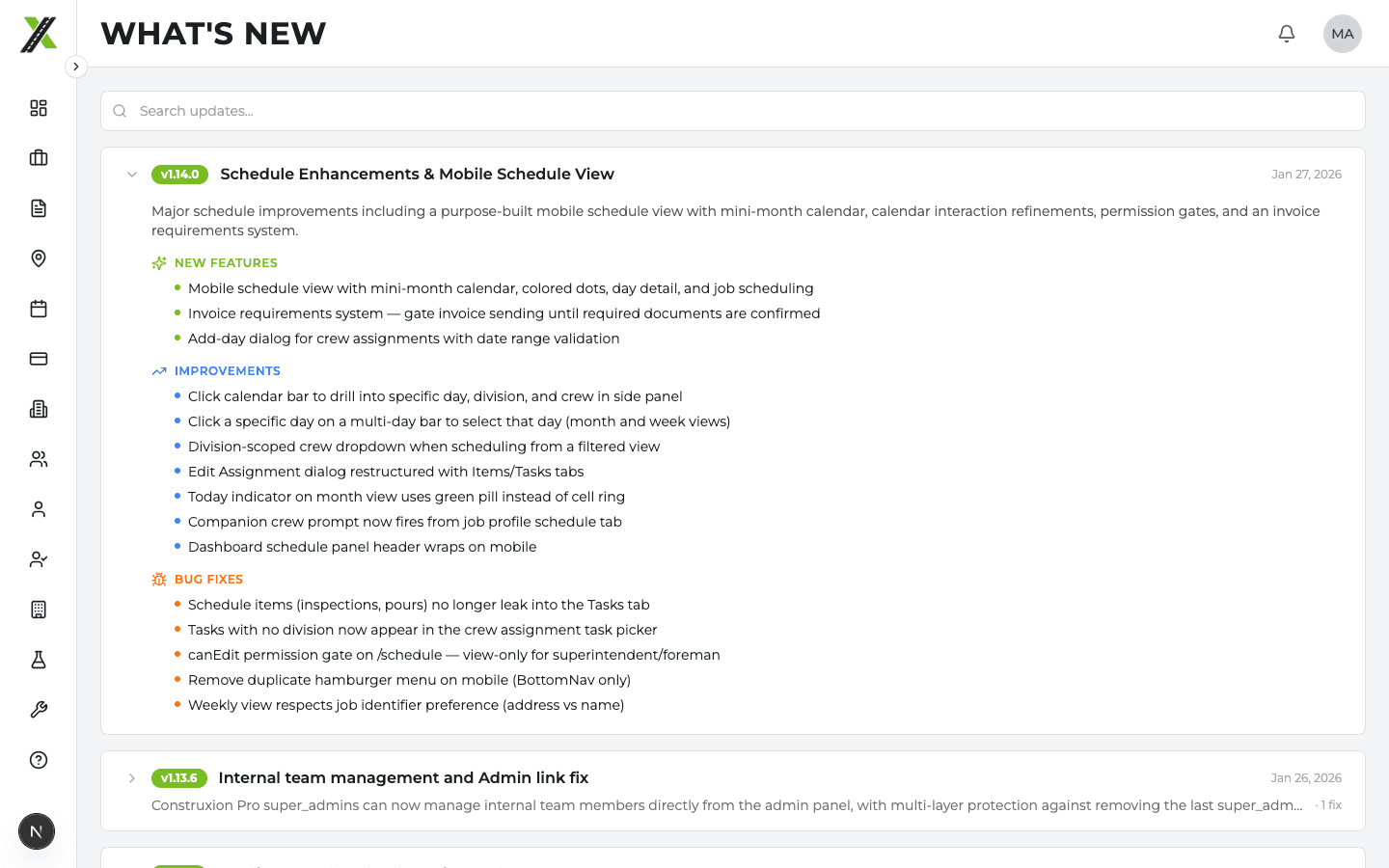
The What's New page shows the app's changelog — new features, improvements, and bug fixes organized by version.
Accessing What's New
- Click What's New in the profile dropdown (top-right avatar menu)
- Or navigate directly to
/whats-new - A badge on the sidebar's What's New callout indicates unread versions
User View
The page shows expandable version cards, newest first:
- Version number and title
- Summary — Brief description of the release
- Changelog entries — Individual items categorized as:
- Feature — New functionality
- Improvement — Enhancement to existing features
- Fix — Bug fixes
- Other — Miscellaneous changes
- Search — Filter versions by keyword
When you view a version, it's marked as "seen" so the notification badge disappears.
Note: Some entries may be flagged admin_only and will not appear in the user-facing view — they're only visible in the admin panel.
Admin Management
Admins manage versions from Admin > Versions:
- Create new versions with version number, title, summary
- Add changelog entries (category, title, description)
- Flag entries as
admin_onlyfor internal-facing changes - Set version status: Draft or Published
- Published versions become visible on the What's New page
Version File Sync
Versions are also maintained as markdown files in the versions/ directory and synced to the database via pnpm versions:sync. This allows version notes to be authored in markdown and tracked in source control.