Crews
Crews - Construxion Pro User Guide
Crews are the field teams that perform the actual construction work. Each crew belongs to a division, has a foreman, and gets assigned to jobs via the schedule.
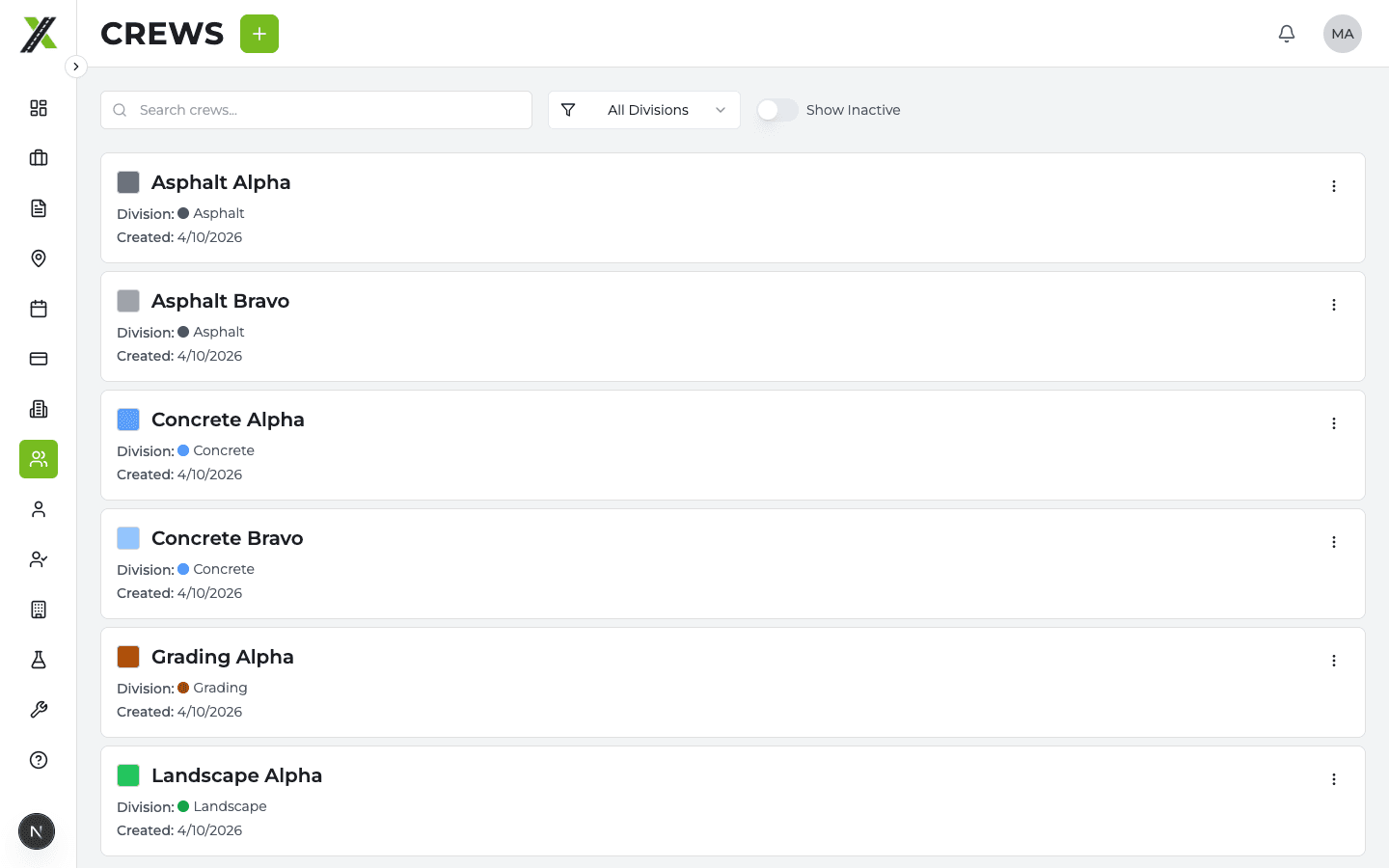
Crews List Page
The Crews page shows all company crews. Available to Owner, Manager, Administrative, Superintendent, and Foreman roles.
Each crew card shows:
- Crew name and color
- Division assignment
- Foreman name
- Active/inactive status
- Number of members
Creating a Crew
Crews can be created from two places:
From the Crews Page
- Click Create Crew
- Enter:
- Crew name
- Division — The division this crew belongs to
- Foreman — The crew leader
- Color — Used for visual identification on the schedule
- Click Create
From a Division Profile (Crews Tab)
- On the division's Crews tab, click Create Crew
- Same fields as above (division is pre-selected)
Both paths use a server-side API route for creation (same pattern as divisions).
Crew Profile
Click a crew to open its profile page with tabs:
Details Tab
- Crew name, color, division, and foreman
- Active/inactive status
- Edit crew settings
Jobs Tab
- All jobs this crew is currently assigned to via the schedule
- Job status and dates
Members Tab
- List of all crew members
- Add or remove members
- Each member shows their role, division, and contact info
Crew Members
Crew membership is managed from the crew profile's Members tab or from the employee's profile.
- Adding a member to a crew also updates the employee's
crewsarray - Removing a member from a crew removes them from that array
- An employee can belong to multiple crews
Crews on the Schedule
Crews are the unit of scheduling — when you schedule work, you assign a crew to a job's division for a date range. This creates a crew assignment that appears on the calendar.
On the schedule:
- Crew assignments show as color-coded bars (using the division color)
- Each crew assignment can have items (inspections, events) and attached tasks
- The side panel drills down: Day → Job → Division → Crew Assignment
Crews on the Dashboard
- Manager Dashboard: Shows crew schedule cards for today/tomorrow with job assignments
- Superintendent Dashboard: Shows finalized schedules for crews in their assigned divisions
- Foreman Dashboard: Shows their specific crew's schedule
- Labor Dashboard: Shows the individual's crew assignment for the day