Locates (Utility Locates / 811)
Locates (Utility Locates / 811) - Construxion Pro User Guide
Before digging, construction companies are legally required to have underground utilities marked. This is done by calling 811 (or a regional locate service). Construxion Pro tracks locate requests, their status, and renewals — the system works very similarly to Permits.
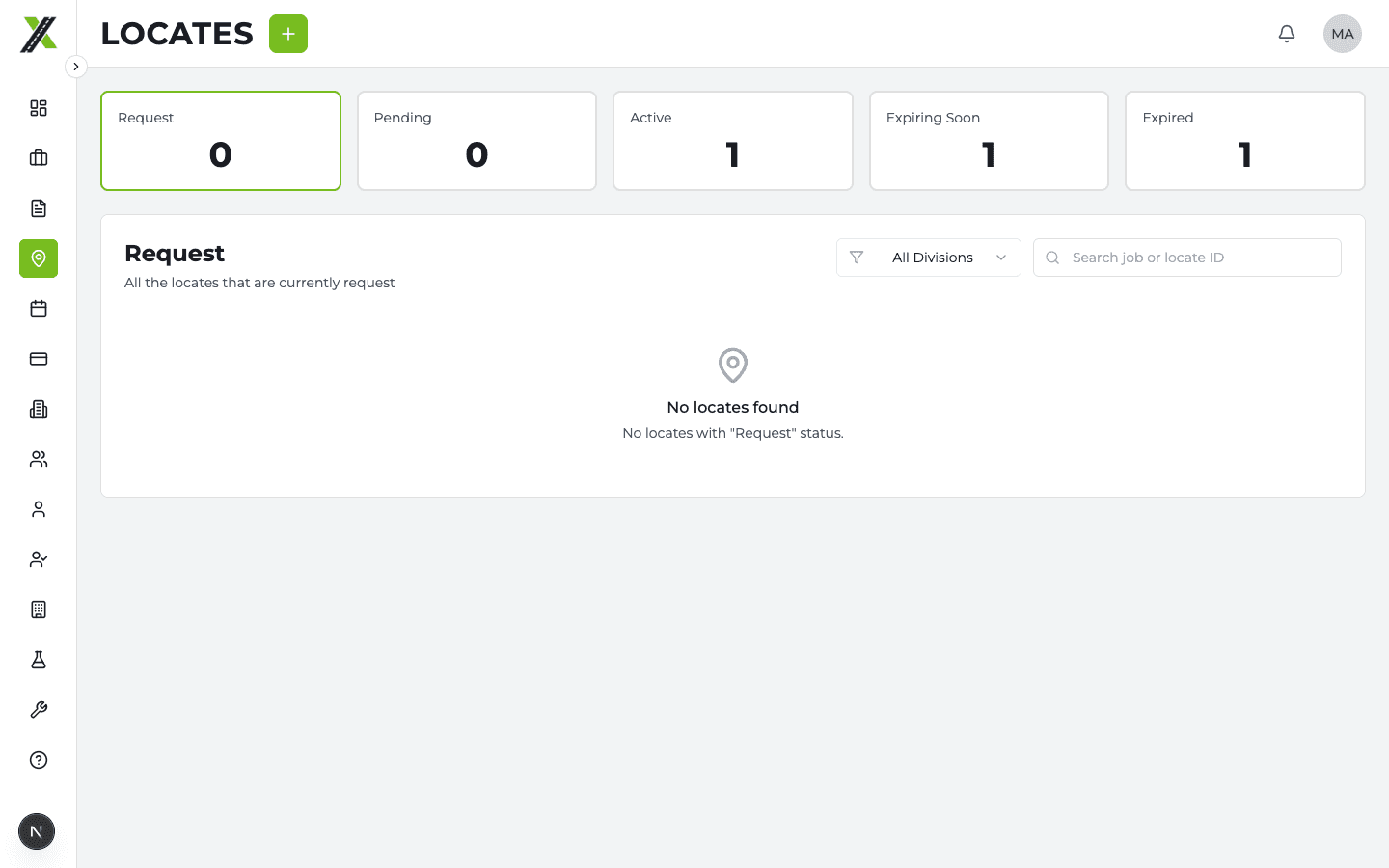
Locate List Page
The Locates page shows all locate requests across all jobs. Available to Owner, Manager, and Administrative roles.
- Filter by status
- Search by locate number or job name
- Status counts at the top
Like permits, locates are grouped into renewal chains — only the most recent version shows as a card, with previous versions in a collapsible "Renewal History" section.
Locate Statuses
| Status | Meaning |
|---|---|
| Pending | Locate request submitted |
| Active | Utilities have been marked and locate is valid |
| Expiring Soon | Locate nearing expiration (typically 10-14 business days) |
| Expired | Locate markings no longer valid |
Creating a Locate
Locates can be created from:
- The Activation Wizard (during division activation, if "locate required" is selected)
- The Job Details tab (Locates section)
- The Locates page
Locate fields include:
- Job and division
- Locate number / ticket number
- Status
- Request date and expiration date
- Cost (flat or cost-plus)
- Instructions and request details
- File attachments
- Map drawings
Locate Costs and Billing
Same pattern as permits — when a locate has a cost, a billing item is auto-created. Adjustments are created for cost changes on invoiced items.
Renewal Flow
Identical to permits:
Renew
Creates a child locate linked via parent_locate_id. If the renewal is created as "Active," the parent is auto-expired. Parent's renewal_status is synced by database trigger.
Don't Renew
Sets renewal_dismissed = true — suppresses alerts without renewing.
Dashboard Alerts
- Manager Dashboard: Expiring/expired locates as alert cards
- Admin Dashboard: Locates in tabbed sections (Request, Pending, Expiring, Expired)
- Daily push notification: Included in the ~6 AM Mountain expiration summary
Locate Menu Actions
Same pattern as permits:
- Expiring/Expired: Edit, Renew, Don't Renew, Delete
- All other statuses: Edit, View Details, Change Status, Delete
- Delete restricted to Owner and Administrative roles
Key Differences from Permits
While the systems are nearly identical, the terminology and status names differ slightly:
- Permits use "Expiring" / Locates use "Expiring Soon"
- Locates represent a physical marking that degrades over time (paint, flags)
- Locates typically have shorter renewal cycles than permits