Clients
Clients - Construxion Pro User Guide
Clients are the companies or organizations that hire the construction company for work — municipalities, developers, HOAs, etc. Available to Owner, Manager, and Administrative roles.
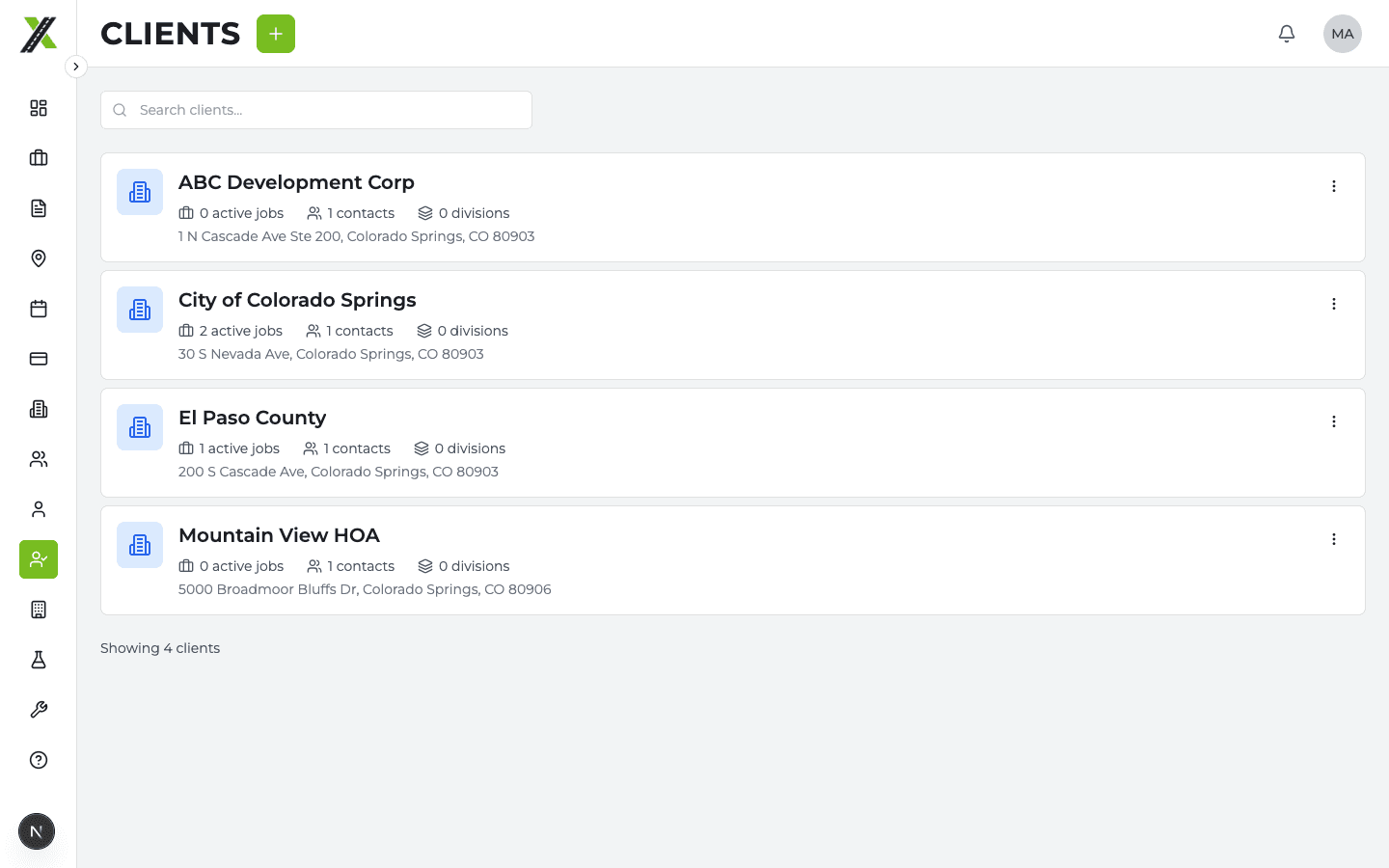
Client List Page
Shows all clients with:
- Company name
- Primary contact
- Number of active jobs
- Search and filter
Creating a Client
- Click Add Client on the Clients page
- Enter:
- Company name
- Address
- Phone and email
- Primary contact information
- Click Create
Clients can also be created inline during job creation if the client doesn't exist yet.
Client Profile
Click a client to open their profile page with tabs:
Details Tab
- Company information (name, address, phone, email)
- Primary contact
- Edit client details
Jobs Tab
- All jobs for this client
- Filter by status
- Job dates and divisions
Divisions Tab
- Which of your divisions have worked for this client
- Useful for understanding the working relationship
Contacts Tab
- All contacts at the client organization
- Add, edit, and remove contacts
- Contact name, title, phone, email
Revenue Tab
- Financial overview for this client
- Total invoiced amount
- Payment history with running balance
- Individual invoice details
- Payment recording
Client Price Sheets
Clients can have custom pricing that overrides the company defaults:
- From the client profile or the Billing page's Price Sheets section
- Click Create Price Sheet for the client
- Override individual item prices
- Items without overrides inherit from company defaults
When billing items are created for this client's jobs, the system checks the client price sheet first, then falls back to company defaults.
See Billing > Price Sheets for more details.